

ACCOUNT
Account Access
See the phone verification path, credential fields and recovery route before entering the lobby.
atm178 puts Live Blackjack Royal, Crash Skyrise Arena, slots and football markets behind one account, with DANA and QRIS beside the cashier path.
Access is available only where local law permits.

Casino and slots open from the main Home navigation, with search available for titles such as Crash Skyrise Arena and Fortune Fishing Game.
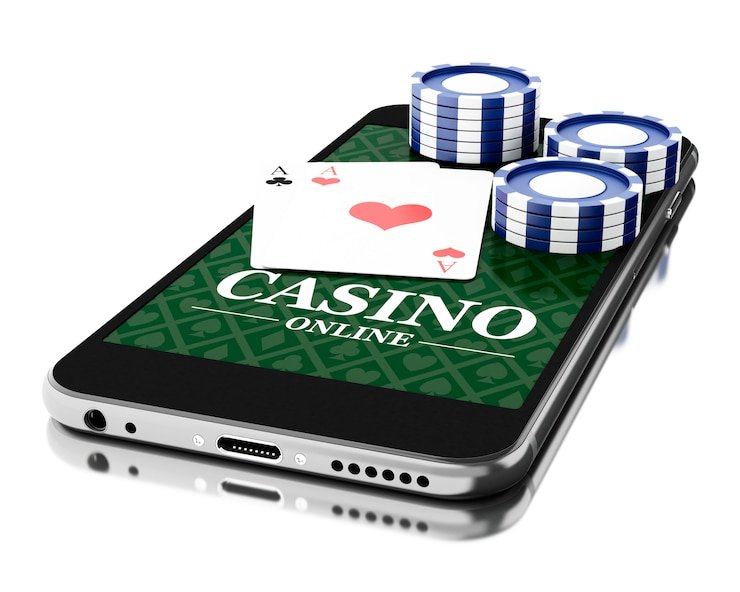
Casino rooms come first, followed by live tables, fishing titles and sports markets, all reached from the same visible Home menu.
Home groups recognised studios such as Pragmatic Play, PG Soft and Habanero into searchable casino areas, helping you reach familiar releases without browsing unrelated pages.
DANA, OVO, GoPay and QRIS appear as named options in the Home cashier, so you can choose a rail without guessing which wallet label applies.
Some decisions need more detail than a lobby card can provide. Home therefore keeps durable account, cashier, game and policy areas within reach.



Your first Home visit should answer four practical questions: how to open an account, what details are required, where the lobby begins and how access is…
Select the account option from Home, enter the requested phone details and follow the verification prompt. Once that check is complete, we return you to the main lobby rather than placing you on a separate promotional page.
Use accurate account and wallet details from the beginning. Matching names and phone details help us handle later receipt checks, withdrawal verification and account recovery without asking you to repeat basic steps.
Home links directly to casino, slots, live tables and the sportsbook. You can move from Fortune Fishing Game to football, badminton or basketball markets while keeping the same account and visible wallet status.
Keep your password private and complete phone verification before account access. If a session or verification prompt looks unfamiliar, stop there and use the Home help path before continuing to the lobby or cashier.
Account and wallet questions often begin from the Home screen, so our help routes stay close to the cashier and access controls. Use live chat for an active login or status problem, email when you need to attach a receipt, and mobile help for prompts that appear on a smaller screen. Current service hours are displayed in the support panel rather than implied through an around-the-clock claim.
Open live chat from Home when phone verification, account access or wallet status stalls. Keep the relevant screen open so you can describe the exact prompt and follow the next step we provide.
Email works well for receipt and transaction checks that need an attachment. Include the account identifier, selected rail and transaction reference, but never send your password or a complete credential set.
The mobile help link remains near login and cashier controls. Use it when a QRIS screen, wallet status or game page behaves differently on your phone, and include the device browser in your message.
The mobile Home keeps account access, game search and the cashier within the same browser path.

Phone verification creates a clear checkpoint before your account opens. From Home, you can follow the same access path on mobile or a computer browser, inspect wallet status…
Scattered search results can separate game names, wallet instructions and contact details from the account path they belong to. Our Home keeps those elements under one navigation structure.
| One Account Path | Home connects account creation, phone verification and lobby access in sequence. A scattered page may describe a game while offering no clear route back to the account controls that support it. |
|---|---|
| Named Wallet Status | Our cashier labels DANA, OVO, GoPay and QRIS directly and shows the relevant transaction state. Outside references may not reflect which rail is currently shown on your account. |
| Connected Game Search | Search begins inside the active lobby, where casino categories and title pages use the same account session. This avoids opening disconnected title pages that cannot display your current access state. |
| Visible Help Routes | Live chat, email and mobile help are linked from Home. A disconnected listing may provide a name without showing where receipt support or access assistance actually begins. |
| Current Policy Path | The Home footer points to the policies applying to the service you are opening. Saved or copied pages can omit the access conditions associated with the current account flow. |
| Consistent Device Flow | Phone, tablet and computer browsers retain the same main category order. You do not need to learn a different route each time you change screen size. |
Game behaviour differs by category, so Home points you toward the relevant rules instead of presenting one figure for every title.
Check the individual title panel for its available return details, feature rules and paytable.
Table rules explain wagers and outcomes for baccarat, roulette, Dragon Tiger and blackjack.
Round mechanics and multiplier behaviour appear within the selected crash title.
Open the title rules to inspect controls, targets and feature behaviour.
Market terms and settlement context appear with football, badminton and basketball selections.
Our Home is configured for Indonesia payment context, including DANA, OVO, GoPay, QRIS and bank routes associated with BCA, BRI, Mandiri and BNI. You can open the site through a supported phone, tablet or computer browser without choosing a city-specific lobby. Availability depends on local law, and the same condition applies whether you connect from Makassar or another Indonesian location. Check the access wording displayed on Home before creating an account or using the cashier.
Six visible elements shape your Home experience: a direct account route, category-based game access, local wallet labels, connected device navigation, practical help and accessible policies.
These answers cover the questions most likely to arise before you open an account from the atm178 Home. They explain what appears in the lobby, how local wallet status works, where phone verification begins and how to reach us. For a transaction-specific issue, use the cashier help link and provide the requested receipt details without sharing your password.
Begin at the account control if you have not completed phone verification. After access, use the main category row for casino, slots, live tables or sportsbook markets.
Open the account panel, provide the requested details and complete phone verification. Return to Home after confirmation to see which lobby areas and cashier options are available.
Choose casino, slots, live tables or sportsbook from the main navigation. Each selection opens its own area while leaving a clear route back to Home.
Select DANA, OVO, GoPay or QRIS from the cashier path and inspect the displayed status. Avoid repeating a submitted transfer while confirmation remains pending.
Use live chat for active access problems, email for receipt attachments and the footer for service terms. These paths remain connected to the Home account flow.